Many of us use more than one e-mail address for online shopping or for sending parcels. We want to manage some shipments under a personal e-mail and others under a work one.
We know you have been asking for this feature, so we are delighted to introduce a brand new trick in the mojePPL app:
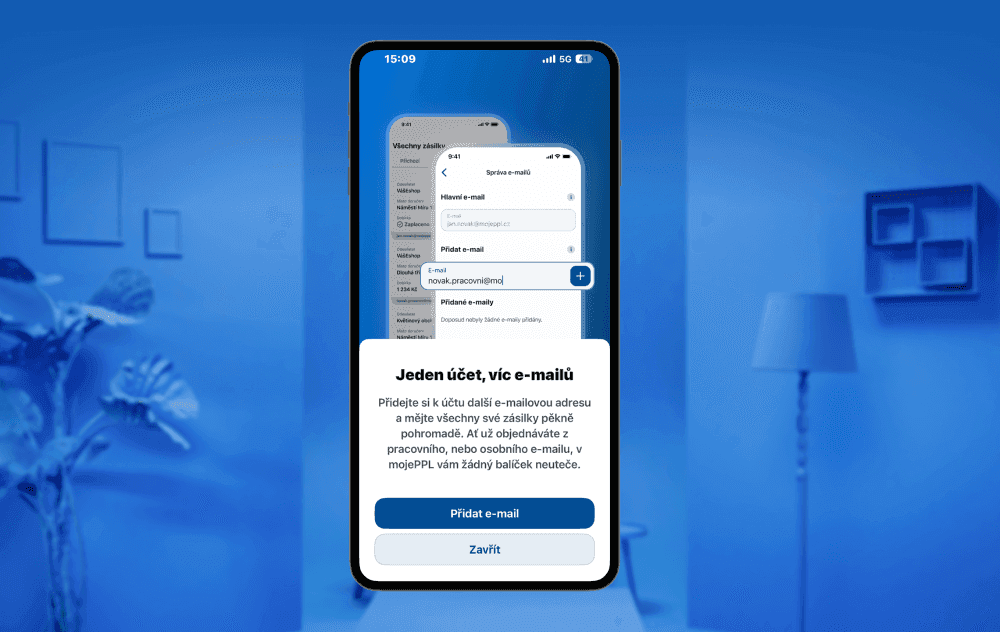
You can now add another e-mail address to your mojePPL account.
You add a new e-mail simply through the Menu button and then E-mail management. Once the second e-mail address is verified, the app automatically shows the shipments linked to both connected e-mails. That gives you a much better overview of your orders.
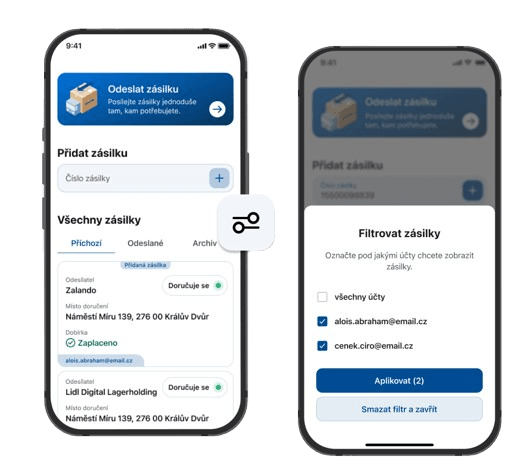
We have also given the new feature a filter option. In the Shipments section, use the filter button to select the relevant e-mail addresses and you will see all the shipments assigned to that address.
Less switching between accounts, more overview of your shipments. That is exactly how the new mojePPL feature works, making receiving and sending shipments that bit more comfortable.
What is worth knowing? 💡
As soon as you add another e-mail address to your account, the system automatically checks whether it is already registered separately or linked to another account. If the e-mail belongs to an existing registration, linking it merges it under the main account.
Please note that information cannot be transferred between individual e-mail addresses, and neither can points or your level in the loyalty programme.